

Latest Hostinger Promo Codes & Discounts For Nov 2025
| Category | Hostinger Promo Codes & Offers | Coupon Code |
| Hosting | Flat 10% OFF On All Hosting Plans | GRABHOST10 |
| Domain | Grab 10% OFF On Domain Purchases | GRABDOMAIN |
| VPS Hosting | Enjoy 10% OFF on VPS Hosting Services | GRABHOST10 |
| Domain Renewal | Renew Your Domain with 10% Discount | GRABDOMAIN |
| Hosting Renewal | Save 10% On Hosting Renewal Subscriptions | HOSTINGPROMO |
| WordPress Hosting | All WordPress Hosting Services are 10% OFF | GRABHOST10 |
How to get a Hostinger Coupon Code
Visit Hostinger’s Website: Check Hostinger’s official site for exclusive deals and promotions. Look out for banners or pop-ups that announce special discounts and limited-time offers.
Explore Coupon Websites: Try coupon websites like Coupons Luck. These sites often feature the latest promo codes and deals to help you save on Hostinger as well as other web hosting platforms.
Subscribe to Hostinger’s Newsletter: Sign up for their email list to get exclusive offers, promotions, and updates sent directly to your inbox. This ensures you never miss out on a great deal.
Follow Hostinger on Social Media: Stay informed by following their on social media platforms like LinkedIn, Facebook, Twitter, YouTube, and Instagram. They frequently post about flash sales, special discounts, and promo codes.
Watch for Seasonal Sales: This hosting provider often runs sales during major holidays and events like Black Friday, Cyber Monday, and the New Year. Keep an eye out for these seasonal promotions to get the best deals.
How to Use a Hostinger Discount Code
For Domain
- Visit their website, log in to your account, click on the services tab on the homepage, and proceed to the domains page.
- On the domains page, explore the listed domains or type your preferred domain name, and click “Search” to see the available options and prices.
- Check out the exact domain names or alternative ones if the original one is taken, and click “Buy Now” on the selected domain to proceed to the cart.
- Click “Continue” on the cart page to proceed to the payment page.
- Search for the “Have a Coupon Code?” tag in the Order Summary section on the checkout page. Click it to add your coupon code, then click Apply to activate the discount.
For Domain Transfer
- If you already have a discount and want to transfer it to Hostinger, visit the “Domain Transfer” page on the website, type your domain in the search bar, and check if it is available for transfer.
- If the domain is transferable, click on the “Transfer” button to proceed to the checkout page.
- On the payment page, click on the “Enter code here?” tag to enter your promo code. Then click Apply for the discount to be applied.
Note: Hostinger allows exclusive offers during domain transfers, but only during specific events, such as Black Friday or Cyber Monday, flash sales, special bundles (e.g., .com at ?499 deals), and email-exclusive offers.
We update this page regularly with the latest Hostinger domain coupon codes. While domain transfers rarely get discounts, new domain registrations often do, especially during promos.
Try these codes at checkout. If they don’t work for transfers, consider bundling with a hosting plan. It usually includes free domain transfer, SSL, and Cloudflare.
For Hosting
For VPS Hosting
- Log in to your account, visit the “Hosting” tab, and select the “VPS Hosting” service.
- On the VPS Hosting page, explore the available plans – KVM 1, KVM 2, KVM 4, and KVM 8, and choose a plan you desire.
- Once you proceed to the checkout page, click “Paste your code?” to enter the code, and click Apply to activate the discount.
For Cloud Hosting
- Visit the official website, proceed with the Hosting tab, and click VPS Hosting to explore the plans.
- Personalize your plan – Startup, Professional, and Enterprise. Select your desired plan, and click Choose Plan to proceed to the checkout page.
- Click the “Enter code here?” tag to add your chosen promo code, and click Apply for the discount to be applied.
For Renewal
- If you have an existing domain and want to renew it, log in to your account and visit the account section.
- Go to the Billing section, then Subscriptions, and choose the domain you want to renew.
- On the checkout page of the renewal domain, search for the “Paste your code?” tag, and click it to add the promo code.
- Once the discount code is added, click Apply, and wait for the discount to be applied.
For Email
- Log in to your Hostinger account, and select Business Email or Google Workspace from the Email tab in the Services section.
- Choose the preferred plan from Business Email or Google Workspace, and proceed to the checkout page.
- Look for the “Enter code here?” tag on the payment page, and add the picked code to it before selecting Apply.
- Wait for the discount to be applied, and proceed with your payment.
Applying Hostinger Coupons: First Time vs. Returning Customers
For First-Time Users
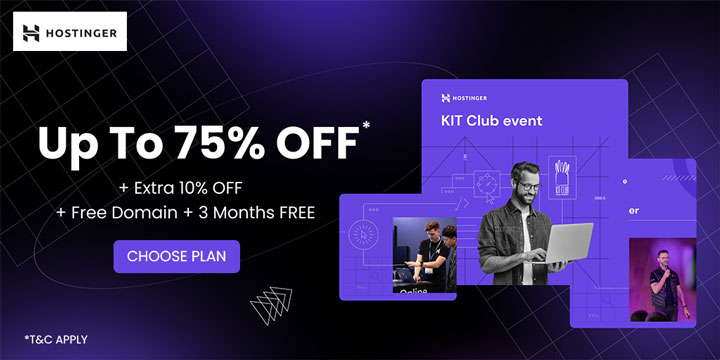
If you are a new user of Hostinger, sign in to your account and explore your preferred services. You can get up to a 75% discount in addition to an extra 10% off, a free domain, and a 3-month complimentary service on web hosting and other services on your first purchase. Above the available discounts, you can use a promo code on the checkout page of the chosen service. To use a coupon, follow the steps below:
- Choose your desired service – hosting, domain, and email. Select a plan and proceed to the checkout page.
- Look for the “Enter code here?” tag on the payment page, add a coupon to it, and click Apply for the discount to be applied.
For Existing Users
Existing users can renew their previous service or purchase a new plan. You can save up to an 87% discount with an extra 10% off on various plans. To apply a coupon to your chosen service, log in to your account, explore the available services, and select your preferred plan. Click “Buy” to proceed to the checkout page, add your code to the “Paste your code?” tag, and click Apply. Once the discount is applied to the order value, make the payment.
Apply Renewal Discount Codes for Hostinger Domain & Hosting Plans
For Domain Renewal
Hostinger does not allow promo codes for renewing domains. It doesn’t matter if it’s .com or .in. The best way to approach this is to renew before the expiry date, so you lock in the current price. You can also switch to longer-term plans (24-48 months) for better value. However, you can also look for our coupons to save up to 80% and an extra 10% discount with a free domain with the code.
You can also transfer your domain to registrars like Namecheap or GoDaddy if they’re running renewal promos. When buying a renewal plan from any of these platforms, search for Coupons Luck Namecheap coupons or GoDaddy promo codes and use them during checkout for additional discounts.
For Hosting Plan Renewals
Some hosting services allow coupon usage for plan renewals, but this depends on the promotion period. You can save 10% on your favorite hosting plan with our coupons. Here’s how to check:
- Log in to your Hostinger account.
- Head to Billing → Subscriptions.
- Pick the plan you want to renew.
- At checkout, look for “Have a Coupon Code?”
- Apply the code and see if the discount shows up.
| Pro Tip
To avail of first-time users or existing discounts for services like Domain, Domain Transfer, VPS Hosting, Cloud Hosting, Renewal, and Email, you can check out the above-mentioned Hostinger voucher codes. These codes are valid for all international countries, such as India, USA, Pakistan, UK, Malaysia, Canada, Indonesia, Brazil, Nigeria, Philippines, and more. |
Why is my Hostinger coupon not working?
If your Hostinger discount isn’t working, here’s what could be going wrong:
- The code has expired.
- It’s only for new users.
- It doesn’t apply to renewals or domains.
- Your plan isn’t eligible or doesn’t meet the minimum spend.
- The code was typed wrong (watch out for spaces or caps)
Tip: Make sure you’re logged into the right account, or just try another code.
What to do if the Hostinger coupon is not working
Check for Account Restrictions: Some coupons are only valid for new customers or specific account types. Make sure your account is eligible for the discount.
Recheck the Code: Ensure you’ve entered the coupon code correctly. Double-check for any typos or extra spaces. Hostinger’s codes are case-sensitive, so make sure the capitalization is correct.
Verify Expiration Date: Confirm that the coupon code hasn’t expired. Hostinger promo codes are often valid for a limited time, so make sure it’s still active.
Read the Terms and Conditions: Some Hostinger coupons have specific terms and conditions, such as a minimum purchase amount or restrictions on certain hosting plans. Ensure your order meets these requirements.
Try a Different Code: If one code isn’t working, try another one. Websites like RetailMeNot or Hostinger’s own promotions page often have multiple codes available.
Clear Your Browser Cache: Sometimes, clearing your browser cache can resolve issues with applying coupon codes. Go to your browser settings, clear the cache, and try entering the code again.
Use a Different Browser or Device: If the code doesn’t work on one browser or device, try using another. Occasionally, technical issues can prevent codes from being applied correctly.
Contact Hostinger Support: If none of the above steps work, reach out to Hostinger’s customer support for assistance. They can help resolve any issues with applying the coupon code.
More ways to save at Hostinger (Hacks and Tricks)
Opt for Long-Term Plans for Bigger Discounts. Choose hosting plans with a longer duration, such as 24-month or 48-month plans, instead of monthly options. In the long run, these bigger plans turn out to be more cost-effective. Additionally, Hostinger offers great discounts for users who choose long-term contracts.
Renew your subscription plan before it expires. Considering that Hostinger’s plan renewal rates can be higher than the initial offer, make sure you renew your hosting plan before its expiry so you can make use of current deals or discounted prices and avoid price hikes.
Use Hostinger’s Free Domain Offer. With select hosting plans, you get Hostinger’s free domain offer. If this interests you, make sure you look for this feature to save on registration fees when you purchase a package.
Bundle with Cloudflare for Extra Savings. Some of Hostinger’s packages come with free Cloudflare integration. If you opt for those plans, you can save on security and other site performance services that are likely to cost more when purchased individually.
Opt out of services you don’t require. During checkout, you may find several add-ons like backups or additional domains. Go through all the services and only choose what you require. Skip non-essential services to lower your costs.
Use Price Monitoring Tools. Price-tracking websites often notify you of any price drops or new Hostinger deals. Make sure you set up alerts and purchase your plan at the best time.
Refer your friends and family to Hostinger. When your friends purchase a Hostinger plan through your referral, you earn a 20% commission, while your referral will also enjoy a 20% discount. The referral program states that once you earn over $50 or $200, depending on your payment method, you will be able to withdraw the money.
Hostinger membership and loyalty programs
Hostinger doesn’t have a traditional membership or loyalty program, but it offers other great ways to benefit through its Affiliate and Referral Programs.
The Affiliate Program lets you earn at least 40% commission on every sale when you promote Hostinger’s services. It’s simple to join and provides access to useful marketing tools, along with a personal account manager to help you improve your campaigns.
The Referral Program allows you to earn a 20% commission for each successful referral. All you need to do is share your unique referral link, and when someone signs up for a yearly hosting plan through it, you get paid.
Hostinger Student Discount
Hostinger has partnered with GrabOn to offer up to an 80% discount on its website builder feature. Additionally, you can also avail of an extra 10% off and a free domain with our code. You can find the code above and use it on the checkout page to claim this discount.
Hostinger VPS Hosting Offers
Hostinger provides a range of VPS features, including KVM-based virtual servers with full root access, NVMe SSDs, AMD EPYC CPUs, a 300 MB/s network, weekly backups and snapshots, scalable plans (1–8 vCPU, 4–32 GB RAM), and robust DDoS/firewall protection. If you are planning to purchase its VPS plans, explore our coupons to save up to 67% and an extra 10% off.
Hostinger Refund Policy
Hostinger provides a 30-day money-back guarantee for most of its services, including web hosting, cloud hosting, KVM VPS, Game Panel hosting plans, and email services. To get a refund, you must cancel your service within 30 days of purchase. Refunds can be processed back to your original payment method or as a credit to your Hostinger account balance.
However, some products like domain renewals, transfers, and privacy protection are not eligible for refunds. Additionally, purchases made with cryptocurrencies cannot be refunded. Before requesting a refund, make sure to download all your data, as everything will be permanently deleted once the refund is processed.
Hostinger’s discount policies (At a glance)
| Payment options | Credit Cards, Debit Cards, PayPal, Google Pay, Cryptocurrency (Bitcoin) |
| Military discounts | No military discounts offered |
| Student discounts | Get up to 70% off with a bonus 10% discount |
| Black Friday | Exclusive Black Friday deals are typically announced closer to the event |
| Cyber Monday | Cyber Monday discounts are available on hosting plans, posted on their website |
About Hostinger
Hostinger, established in 2004 in Lithuania, has become a top web hosting provider, serving over 3 million users in more than 150 countries. Renowned for its affordable and dependable hosting solutions, Hostinger offers a variety of services, including shared hosting, cloud hosting, VPS, and managed WordPress hosting. The company takes pride in its custom-built hPanel, designed to simplify website management for both beginners and professionals.
With a strong focus on innovation, Hostinger continually updates its infrastructure to ensure fast, secure, and efficient service. Their 24/7 customer support and 99.9% uptime guarantee make Hostinger a reliable choice for anyone looking to build a robust online presence.
Frequently Asked Questions
Can I use a discount code to renew my Hostinger domain?
No. Hostinger doesn’t allow coupons on domain renewals. You can try entering a code at checkout, but it won’t work for renewals. Even if you search for “Hostinger domain renewal coupon code,” most discounts only apply to new purchases or hosting plans.
Are there any discounts available for Hostinger domain transfers?
Sometimes, yes. Hostinger occasionally runs deals on domain transfers, especially during flash sales or bundled hosting promos. Look out for terms like “Hostinger domain transfer coupon code” or check this page for the latest offers.
Is there a free Hostinger coupon code for first-time users?
Yes, first-time users can score up to 80% off on Hostinger web hosting, sometimes with a free domain included. Search for terms like Hostinger first-time user coupon code to find valid offers. Just make sure you’re logged out of any old account when applying the code.
Are there promo codes for Hostinger VPS plans?
Yes. Hostinger often runs exclusive VPS deals, especially on plans like KVM 1, KVM 2, and KVM 4. Use a VPS-specific coupon from this page at checkout to save 15-20% on your hosting.
Is website migration free with Hostinger?
Yes, Hostinger offers free web migration services. If you’re migrating your site from another hosting provider, their team will handle the transition for you with no downtime.
How reliable is Hostinger’s uptime?
Hostinger ensures 99.9% uptime, guaranteeing that your website remains up and functions properly without frequent disruptions.
Does Hostinger provide free SSL certificates?
Yes, Hostinger provides free SSL certificates with all hosting services. Enabling HTTPS encryption enhances website security and visitor confidence.
Which security features does Hostinger offer?
Hostinger offers key security features to keep your website safe. These include: free SSL certificates to encrypt your data, DDoS protection to block attacks, automatic backups so your data isn’t lost, a malware scanner to detect threats, and two-factor authentication (2FA) for account security.
Does Hostinger offer regular deals or flash sales?
Yes, Hostinger frequently offers deals and flash sales on its service plans. Stay tuned to its website and social media channels to track its ongoing deals and save on your favorite plan.